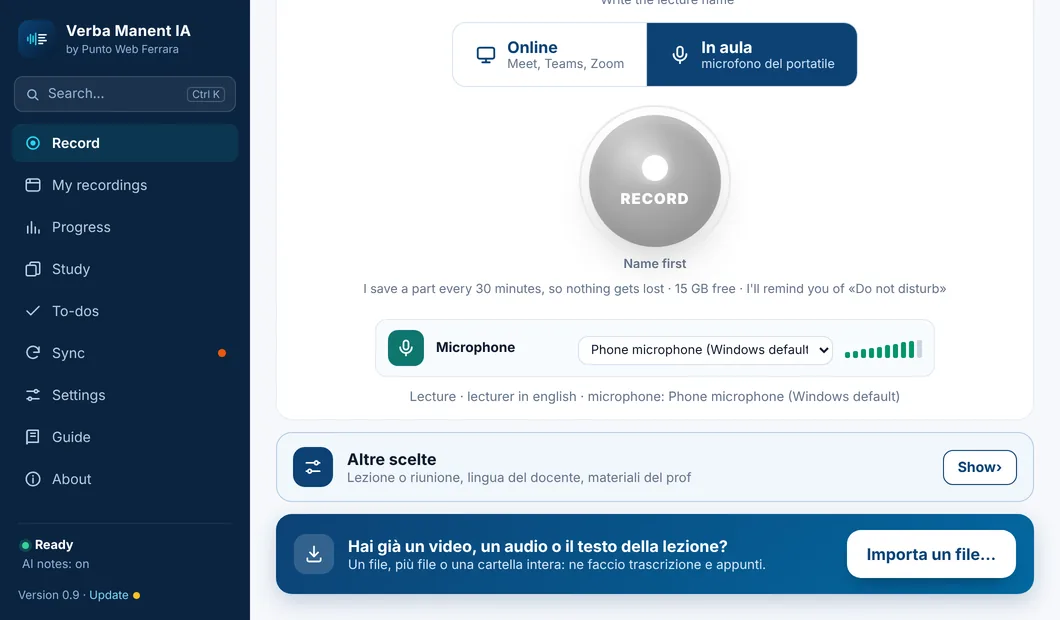
On your PC and your phone, with the lectures you record or the ones you already have.
▶
🚀 Start here
Ready in 3 steps, at first start
Verba Manent guides you: one Google sign-in for the same lectures on PC, phone and web, the Claude key with the right links and steps (not needed with a subscription), and the QR to link your phone.
One sign-in, for everything
The key pastes itself
Phone and web linked in a minute
Already have the lecture? Import it
No need to record everything from scratch. Import a video or audio file, a Drive, OneDrive, Dropbox or Zoom link, or a transcript in PDF or Word: Verba Manent turns it into notes, flashcards and exam questions.
Video and audio: mp4, mov, mp3, m4a, voice notes…
Links to recordings already online
Transcripts in PDF, Word or text
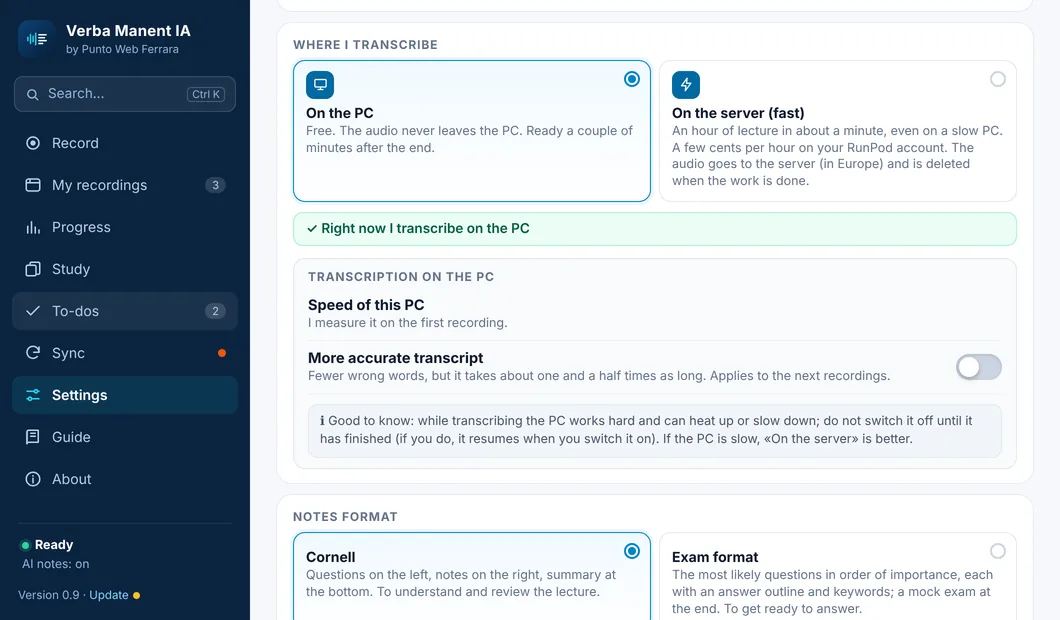
Fast even on a slow PC
By default it transcribes on your PC, for free, and the audio never leaves it. If your computer is slow you can choose your own pay-as-you-go transcription server: an hour of lecture in about a minute, and the audio is deleted when the work is done.
On the PC: free and offline
On the server: a few cents per hour, only if you choose it
If the server doesn't answer, it falls back to the PC by itself
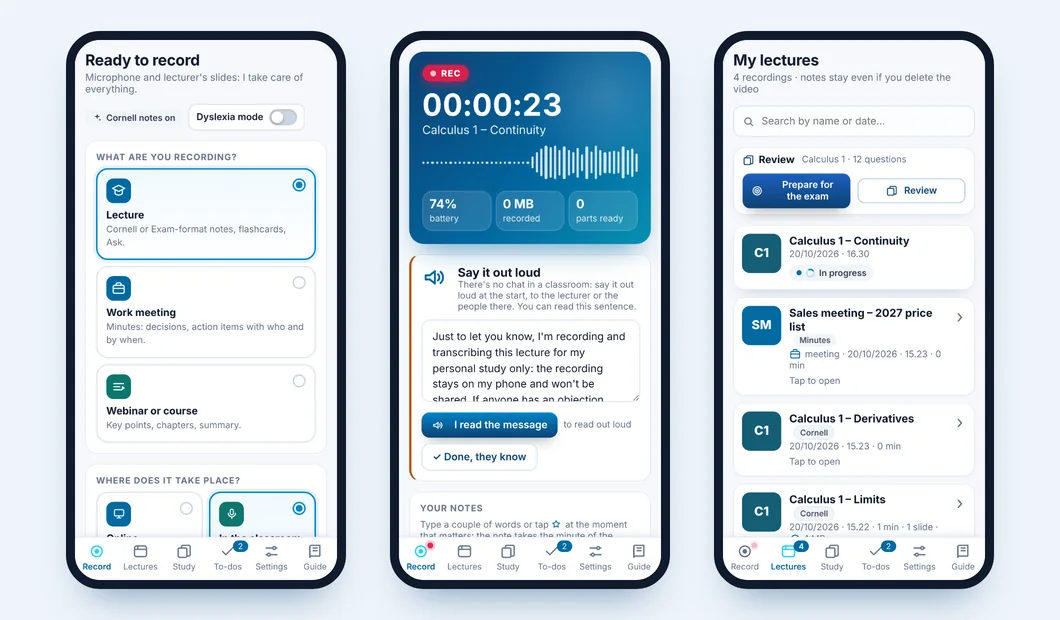
On your phone too
The same features as the PC, in your pocket: record in class or in a meeting, notify the people present, write your notes during the lecture and find notes, flashcards and exam questions in «My lectures». On iPhone you can also send Voice Memos to Verba Manent with «Share».
Transcription on the phone
Spoken notice for the classroom
Notes, review and exam preparation
📅
Calendar
Connect Google or Outlook: Verba Manent knows when class starts and reminds you to record.
📂
Import what you already have
A video or audio file, a link (Drive, OneDrive, Dropbox, Zoom…) or a transcript in PDF or Word: you still get your notes.
⚡
Ready right away
It transcribes while you record, a few minutes at a time: when the lecture ends, your notes arrive in moments.
☁️
Cloud copy, if you want
As soon as a lecture is ready, Verba Manent puts a copy in your Google Drive (just connect your account, nothing to install) or OneDrive: you find notes and transcript from your phone or another computer too.
🔎
Search, and find it at once
Type a word in «Search»: you get the feature with the path to reach it, the guide chapter and the lectures where it was mentioned.
🚀
Fast transcription, if you want
Slow PC? Connect your own pay-as-you-go server: an hour of lecture in about a minute, for a few cents. It’s optional.
Available for
🪟 Windows Available
🤖 Android Available
🌐 Web Available
🍎 Mac Available
📱 iPhone Available
🌐 From the browser too, on any computer
Open your lectures at verbamanent.app/studia: sign in with Google and your Sync password. Notes, karaoke, flashcards and review, with nothing to install; the review you do on the web goes back to your PC and phone.