Record the lecture, online or in class: Verba Manent transcribes it and gives you everything you need to study.
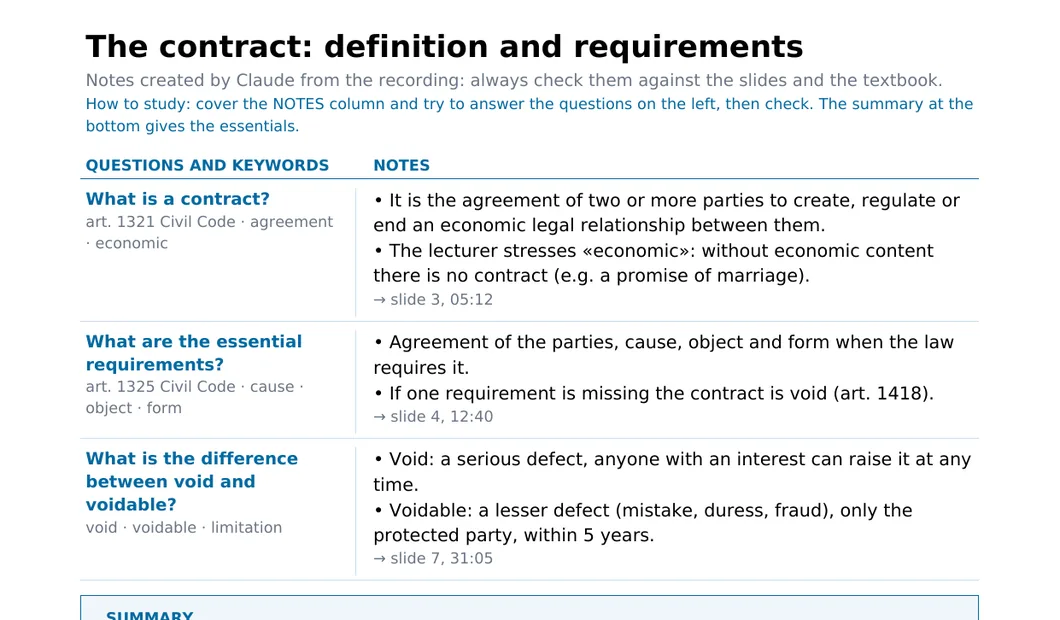
Cornell notes
The world's most widely used study method: questions and keywords on the left, notes on the right, summary at the bottom. With the lecturer's slides in the right place and the minute of the recording.
PDF ready to print or read on a tablet
Formula sheet with symbols and articles
«To check» where the audio was unclear
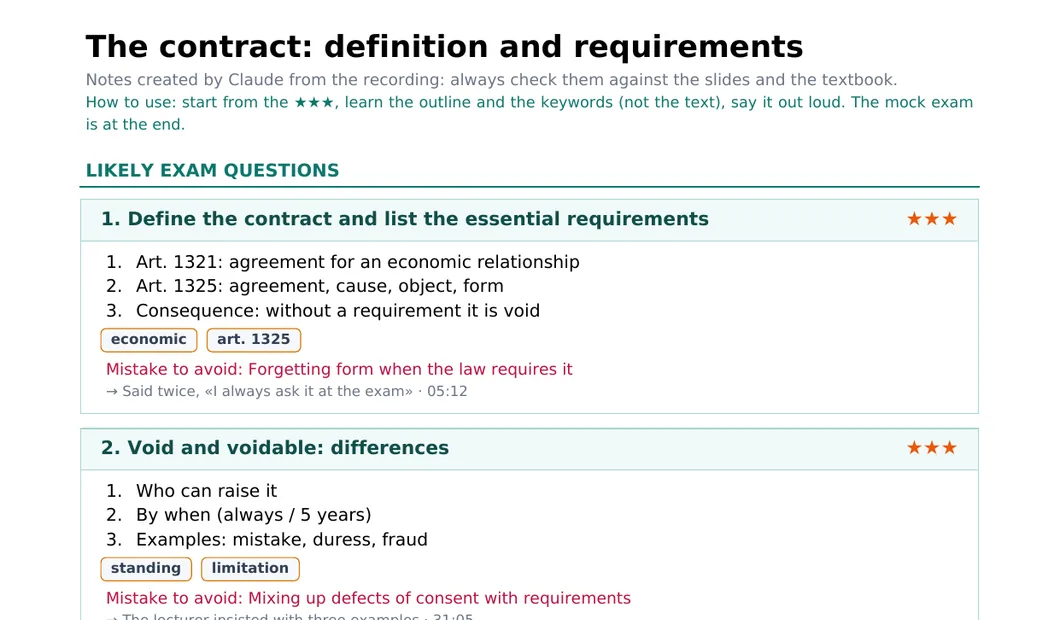
Exam-ready format
The most likely questions, ranked with stars, each with an answer outline, the keywords to mention and the mistake to avoid.
★★★ when the lecturer insisted on it
Answer outline point by point
And if you like, a format you describe yourself
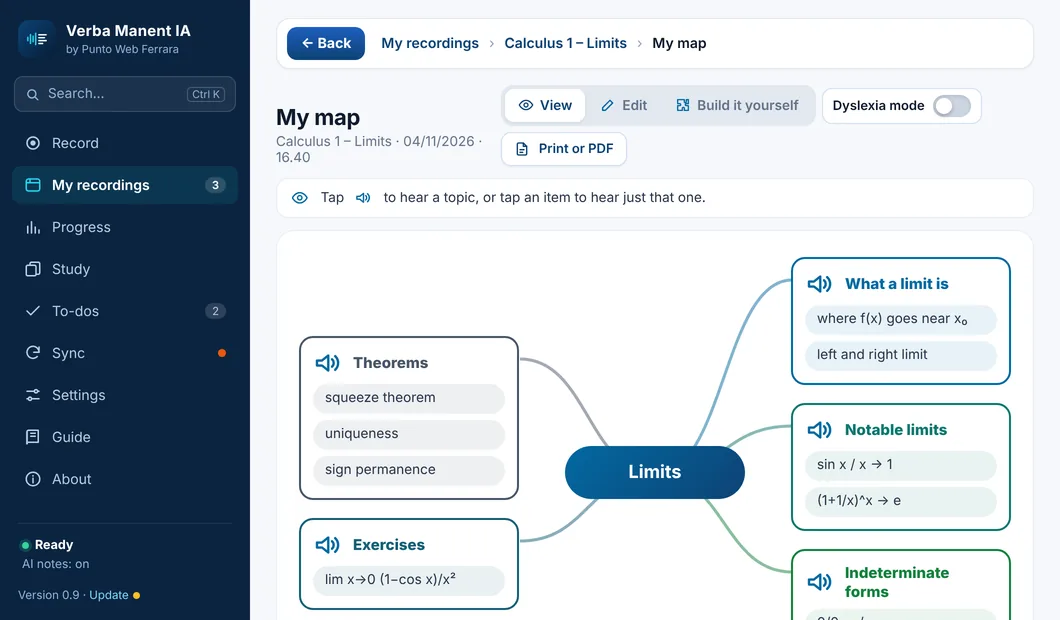
Mind map
The whole lecture at a glance: the topic in the centre, the subjects around it, the concepts to remember on each branch.
Created from the lecture in one tap
Change it or build it yourself, by voice too
Perfect for quick review
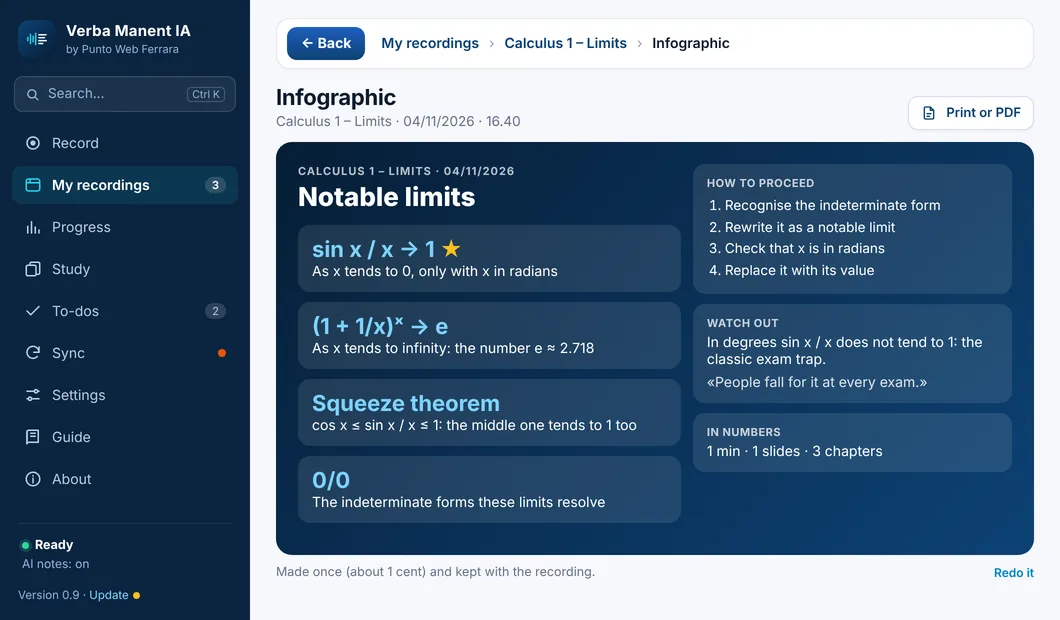
One-page infographic
The key concepts in large type, the steps to follow, what to watch out for in the exam and the lecture in numbers. A single page to keep on your desk.
The most important concept highlighted
Steps and exam traps
Save as PDF
Flashcards and review
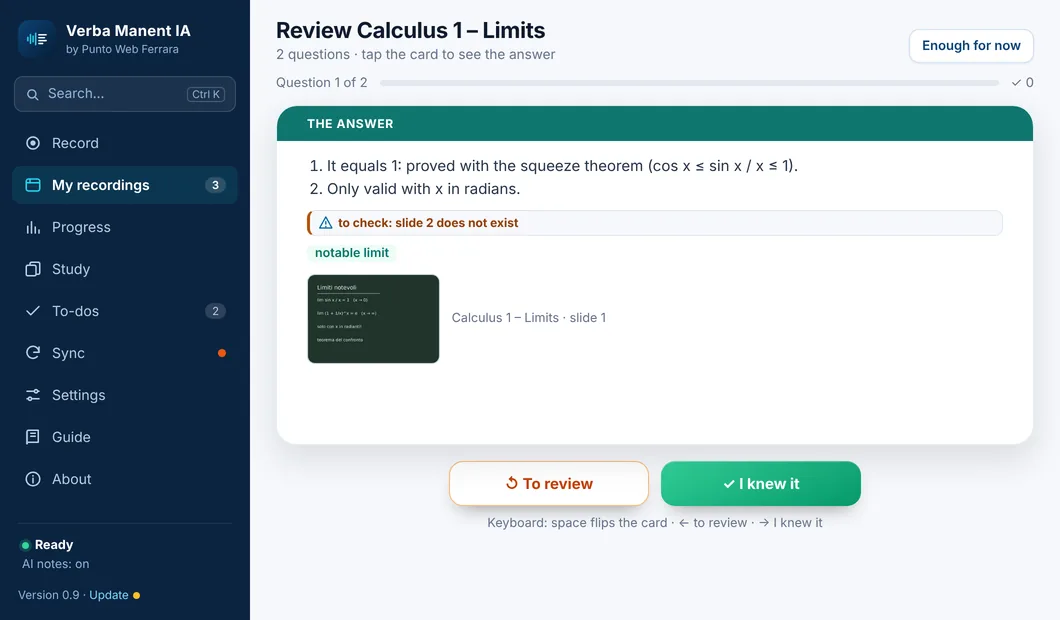
The lecture's questions become cards to flip. You say «I knew it» or «Review again», and the ones you miss come back until you know them.
The ones to review first, then the rest
On your phone too
One lecture, one subject or all of them, with the date of each lecture
Cornell review: real revision
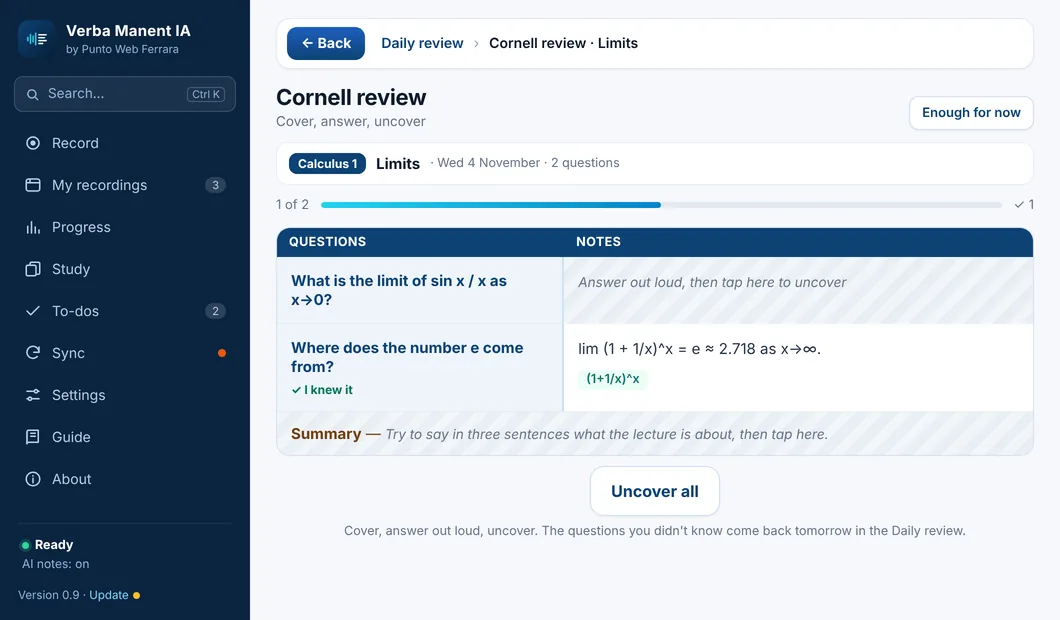
The lecture's Cornell sheet with the notes covered. Read the question, answer out loud, tap and see if you knew it. The questions you missed come back tomorrow in the Daily review.
Cover, answer out loud, uncover
One lecture or the whole subject, one after another
The summary at the end, in your own words
Get ready for the exam
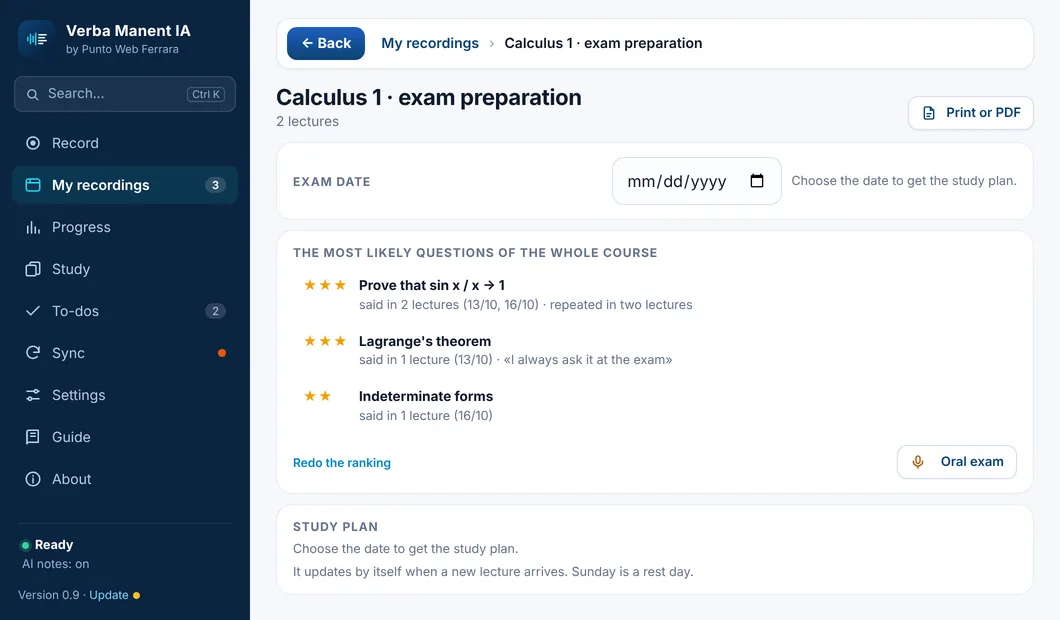
The most likely questions of the whole course, with the lectures where they were explained, and a day-by-day study plan up to the exam.
Ranking of the course's questions
Study plan to put in your calendar
Updated with every new lecture
Mock exam with a grade
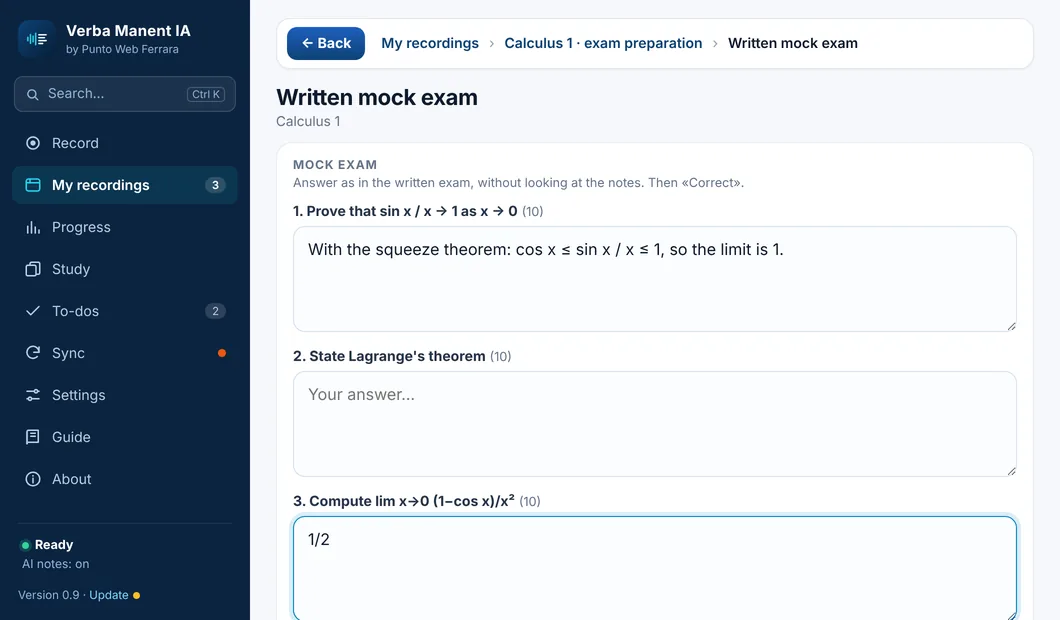
Answer in writing as in the real exam: each answer gets a score, what you got right and what's missing. A grade at the end.
Score for every question
What your answer is missing
Grades are kept: see if you improve
Your notes, at the right minute
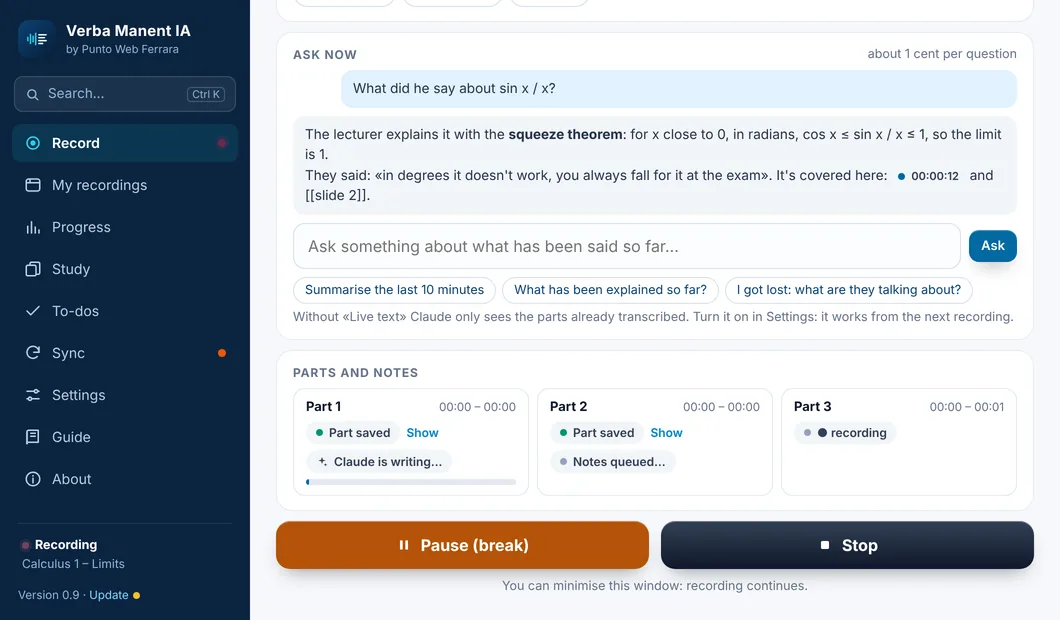
During the lecture type a couple of words or tap «Important», «To clarify», «To do»: the note takes the exact minute and Claude uses it in your notes. And if you lose the thread, ask «what are they talking about?».
A star at the moment that matters
Your doubts end up in your notes
«Ask now» while recording
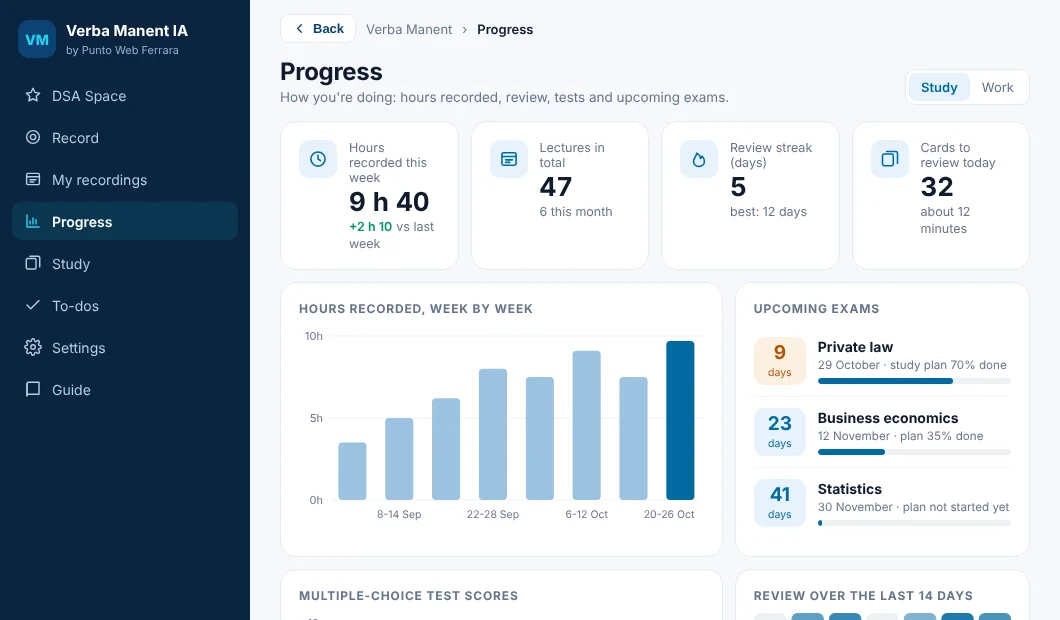
Progress: how you're doing
One page to see where you stand: hours recorded week by week, days left to each exam, test scores, your review streak and what is still to fix.
Upcoming exams with how much of the study plan is done
Test scores subject by subject
For work too: meetings, to-dos, decisions
🎙️
Records audio and video
Lectures and meetings on Google Meet, Teams or Zoom: screen, computer audio and slides in sync, in a single file.
🏫
In the classroom too
Lecturer right in front of you? Verba Manent records through your laptop microphone.
📝
Word-for-word transcript
Everything that is said becomes text, right on your computer, in English and many other languages.
📚
Cornell notes
The method born at Cornell University and used worldwide: key ideas, explanations and a final summary.
🎯
Exam Format
Notes built for revision: likely questions, definitions to know, links between topics.
🃏
Flashcards
Questions and answers from the lecture, ready for revision, even on your phone.
💬
Ask the lecture
Missed a point? Ask your question and the answer comes from what the lecturer actually said.