Apps for university students with dyslexia: what you need, in one app
At university with dyslexia you often end up with five different apps: one to record, one to read PDFs aloud, one for mind maps, one to ask questions about your texts, one for maths. Each does one thing well, but your files end up scattered and every evening you jump from one to the other.
In this guide you will find what a university student with dyslexia really needs, area by area, and how Scripta Manent, the app made for students with dyslexia and other learning differences, does it in one place and with the teacher’s real voice.
What you need, at a glance
| What you need | Why | In Scripta Manent |
|---|---|---|
| Listening back to the lecture | Writing and listening at the same time is the hardest part | Record it and find it again with Karaoke: the lecturer’s voice, the word lights up |
| PDFs and books read aloud | Reading many pages is tiring and slow | Read to me: book, PDF or text read aloud, with the sentence lighting up |
| Mind maps | See the lecture at a glance and review sooner | The lesson map, ready by itself, and My map to build yourself |
| Answers only from your sources | A made-up answer in an exam costs you | Ask the lesson and your subject tutor: they answer from your lectures |
| Short daily review | A little every day works better than everything the week before | Flashcards, Daily review and a Podcast of the lecture |
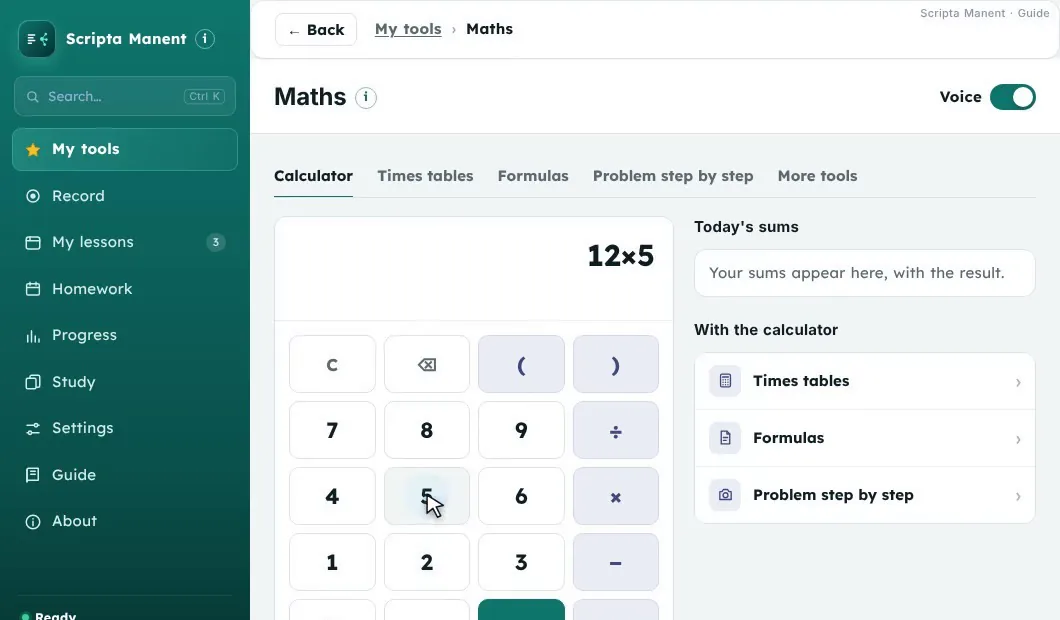
| Maths | Numbers and formulas are hard with dyscalculia | Problems photographed and split into small steps, a talking calculator |
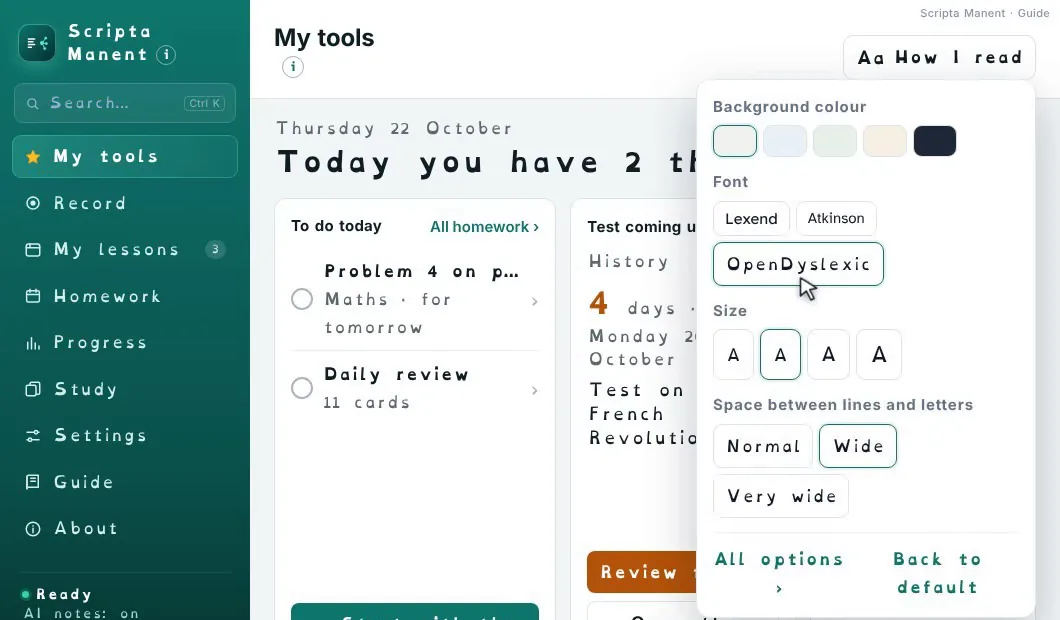
| Comfortable reading | Font, spacing and background matter | Font (OpenDyslexic too), size, spacing and background as you like |
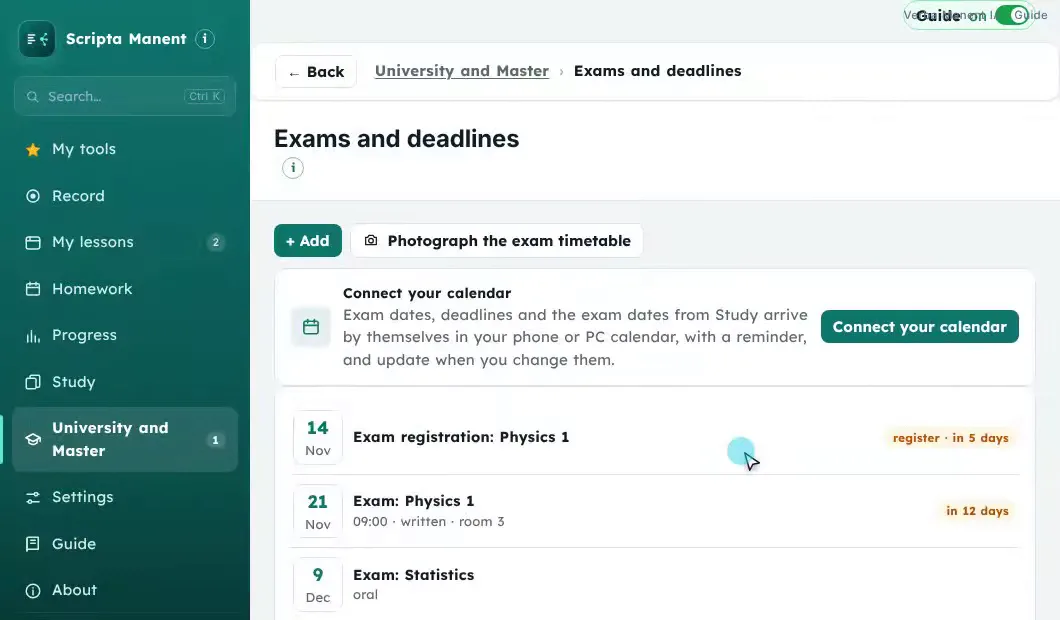
| Exams and deadlines | Exam dates, registrations and fees are easy to miss | University and Master: your transcript from a photo, your average, exam dates with early reminders |
In the lecture: record and listen back
Recording lectures is one of the most common accommodations at university (see our guide to dyslexia at college and university). What matters is what happens afterwards.
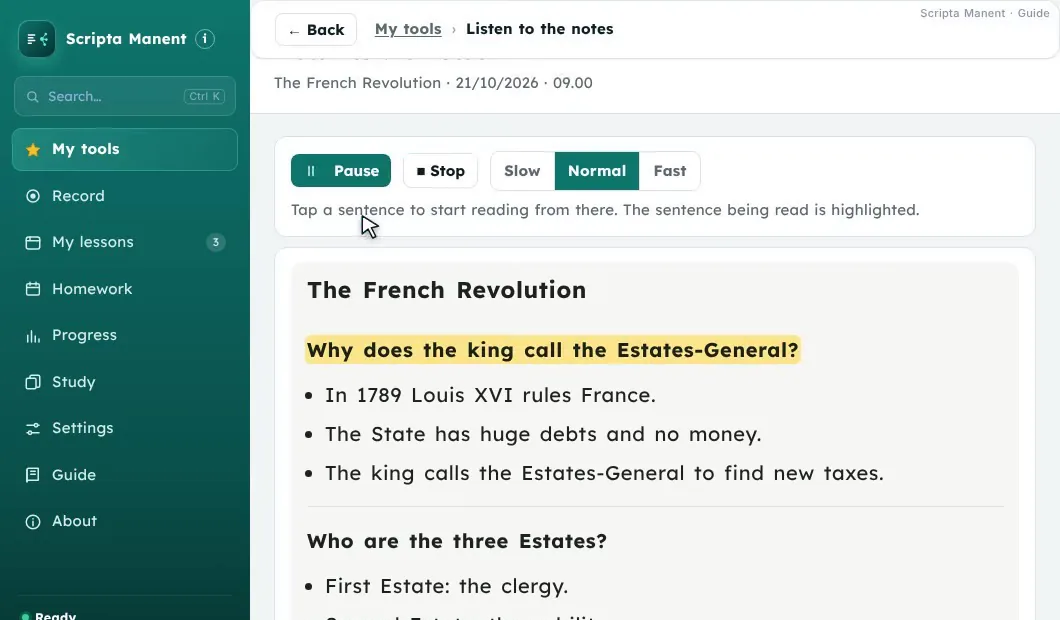
Scripta Manent records the lecture and prepares easy-to-read notes. With Karaoke you listen to the lecturer’s real voice while the word lights up in the text: it is not a synthetic voice reading, it is the lecture. While you record you can mark the moments that matter and find them later with one tap.
Reading PDFs, slides and books
Course readings are often long PDFs. With Read to me you photograph a page of the book or open the PDF, and Scripta Manent reads it aloud, sentence by sentence, with the sentence lighting up. You choose font, spacing and background once, and they work in the whole app.
Maps and questions on your lectures
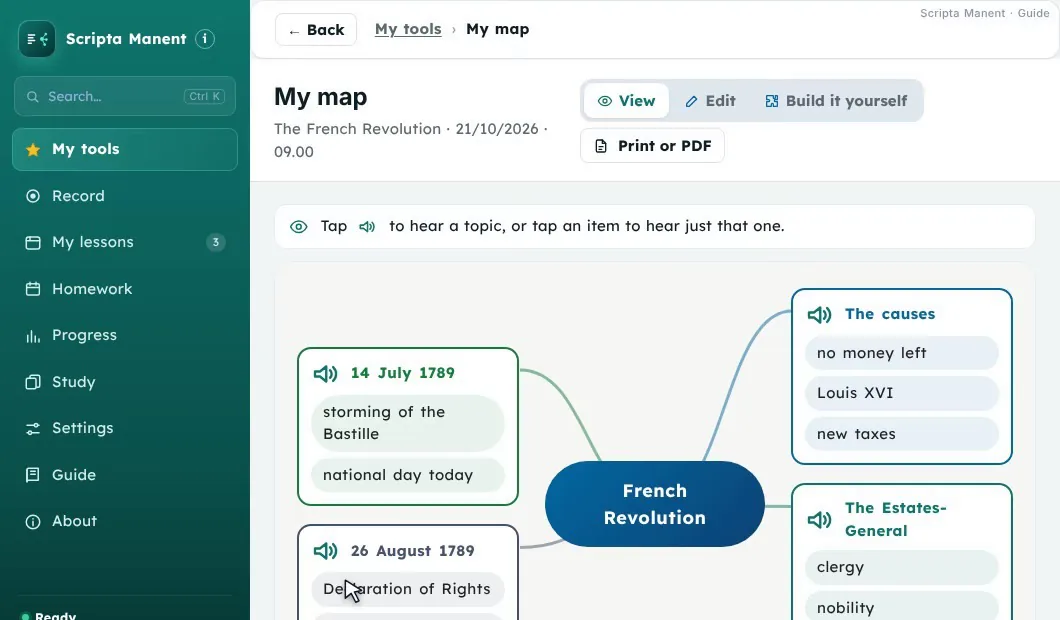
Every lecture has its own map, and you can build your own with My map: the one students usually bring to the exam, if their plan allows it. Here is how to make concept maps.
When something is not clear, Ask the lesson: the answer comes from what the lecturer said, with the minute of the recording to listen to again. In Study you find each subject with all its lectures and your tutor: what to do today, where you go wrong, questions.
A little review every day
Flashcards come from your lectures and the Daily review gives you a few of them every day. The Podcast tells the lecture in a few minutes, in short sentences with real pieces of the lecturer, to listen to on the bus or on foot.
Maths, physics and statistics
Photograph the problem and Scripta Manent splits it into small steps and reads them to you. Formulas explained in class go into your formula sheet by themselves, and you can add those from the book with a photo. With Check my exercise you photograph your working and it tells you where to look, without giving you the answer straight away.
Exam dates, credits and deadlines
In University and Master you photograph your transcript or study plan: Scripta Manent reads exams, credits and marks and works out your average (for UK degrees, the classification). Exam dates can be added by hand or from a photo of the exam timetable.
Connect your calendar once (iPhone, Google or Outlook) and exam dates, registrations and fees arrive by themselves, with early reminders: for an exam two weeks, one week and the day before.
Before the exam
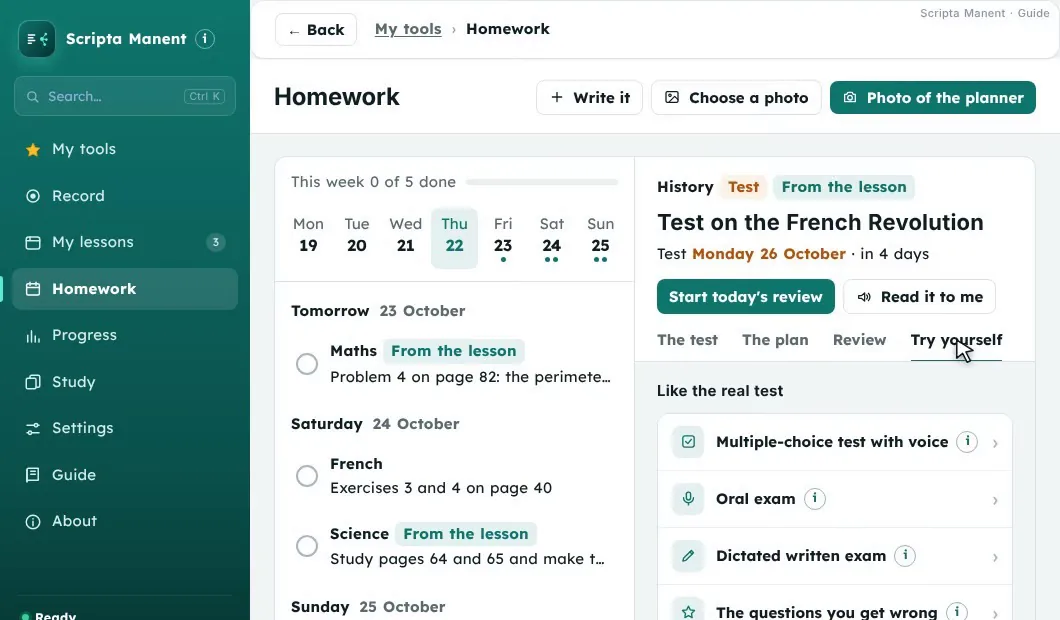
Every exam has its plan: what it covers, a piece of review every day, the questions you get wrong most. You practise with multiple-choice tests read aloud with the extra time you are allowed, the oral exam and written answers by dictation, marked on content and not on spelling.
Scripta Manent and the apps most used by students with dyslexia
Students often use Algor Education for maps, Speechify to have texts read aloud, NotebookLM for questions on documents and Photomath for maths. Here is what each one does, according to the official sites, next to Scripta Manent.
| Scripta Manent | Algor Education | Speechify | NotebookLM | Photomath | |
|---|---|---|---|---|---|
| In class | |||||
| Records the lecture in class and online, from PC or phone | ✓ | transcribes audio you upload | meeting notes | you upload the file | — |
| Transcribes on your device, free, without sending the audio online | ✓ | not declared | not declared | — | — |
| Mark moments during the lecture: I didn't understand, Important, Homework | ✓ | — | — | — | — |
| Write by speaking: dictate and the text writes itself | ✓ | not declared | ✓ | — | — |
| After the lecture | |||||
| Easy-to-read notes made from the lecture | ✓ | study notes and summaries | summaries | summaries | — |
| Karaoke: the lecturer's real voice with the word lighting up | ✓ | — | — | — | — |
| Texts and PDFs read aloud, with the sentence lighting up | ✓ also a photo of a page | ✓ «Listen» | ✓ also scanned pages | — | — |
| Lecture map ready made, and a map you build yourself | ✓ also by voice | ✓ editable | — | map to read | — |
| Questions on your own sources | ✓ with the minute: tap and hear the lecturer | ✓ assistant | ✓ voice assistant | ✓ with citations | — |
| Podcast | ✓ with real pieces of the lecturer | ✓ audio overview | ✓ | ✓ synthetic voices | — |
| Flashcards, quizzes and daily review up to the test | ✓ | flashcards and quizzes | quizzes | flashcards and quizzes | — |
| Dyslexia-friendly font, spacing and background for the whole program | ✓ OpenDyslexic too | ✓ high-legibility font | not declared | — | — |
| At home | |||||
| Homework from a photo of the planner, sorted by day | ✓ also arrives by itself from the lectures | — | — | — | — |
| One task at a time: what it asks, small steps, when to do it | ✓ | — | — | — | — |
| Maths problem photographed and explained step by step | ✓ read aloud | — | — | — | ✓ |
| Talking calculator, times tables read aloud, formula sheet from your lectures | ✓ | — | — | — | calculator |
| Check my exercise: says where to look without giving the answer straight away | ✓ | — | — | — | shows the solution |
| Spell-checker that only fixes spelling | ✓ | — | — | — | — |
| Foreign-language texts read sentence by sentence with the translation | ✓ | — | ✓ many languages | — | — |
| For tests and university | |||||
| Test plan: a piece a day, with a reminder | ✓ | — | — | — | — |
| Multiple-choice tests read aloud and oral exam by voice, with extra time | ✓ | — | — | — | — |
| Test map for the teacher to sign and sheet for the support plan | ✓ | — | — | — | — |
| Fix the test from a photo: mistakes become cards to review | ✓ | — | — | — | — |
| University: transcript from a photo, average, exam dates and calendar with reminders | ✓ | — | — | — | — |
| For everyone | |||||
| Week summary for parents | ✓ | — | — | — | — |
| Where your files stay | on your PC and phone, and in your Drive as zips locked with your password | on their cloud | on their cloud | on Google's cloud | in the app |
| Devices | Windows, Mac, Android, iPhone, web | web, iPhone, Android | iPhone, iPad, Android, Mac, Windows, web, browser extensions | web, iPhone, Android | iPhone, Android |
| Price | with your own Claude key about $0.20 per recorded hour; subscription coming | free with limits, paid Premium | free with limits, paid Premium | free | free; Plus $9.99 a month or $69.99 a year |
In class
After the lecture
At home
For tests and university
For everyone
✓ = available · — = not found on the official pages · «not declared» = the site does not say. Where another app does more, we say so: Speechify has over 1,000 voices in more than 60 languages and a browser extension, Photomath sometimes shows more than one method for the same problem, NotebookLM is free. Checked on the official sites on 9 November 2026.
- One program instead of five: recording, notes, read-aloud, maps, questions, review, maths, homework, tests and university live together and talk to each other (homework mentioned in class lands in Homework by itself, the next exam date becomes the date of the study plan).
- It starts from the real lecture: Karaoke, podcast and answers play the lecturer's own voice at the right point, not a synthetic voice.
- Transcription runs on the computer or phone: the audio does not go online, lectures belong to the student and no AI is trained on their content.
- Designed for dyslexia from the start: few choices per page, short texts, every explanation read aloud, assistive tools ready for the support plan and the university disability service.
- It goes all the way to the grade: day-by-day test plan, tests and oral exam by voice with extra time, test correction from a photo.
- It works everywhere: Windows, Mac, Android, iPhone and web, with the same lectures on every device.
Scripta Manent or Algor Education?
Algor Education is strong on concept maps from uploaded PDFs, photos, links and audio. Scripta Manent makes maps too (ready made and built by you, also by voice), but it starts from the lecture recorded in class or online: it transcribes it on the device, plays the lecturer's real voice in Karaoke and the podcast, then helps with homework from the planner, maths, the test plan and university exam dates and reminders.
Scripta Manent or Speechify?
Speechify is a very complete read-aloud tool, with many voices and languages and a browser extension. Scripta Manent reads PDFs, photos of pages and notes aloud with the sentence lighting up, and adds Karaoke with the lecturer's real voice, lecture notes, maps, homework, maths and test preparation, in an app designed for dyslexia.
Scripta Manent or NotebookLM?
NotebookLM is free and great for asking questions across many documents. Scripta Manent answers from your lectures with the minute the lecturer said it, makes the podcast with real pieces of the lecturer, and adds what a dyslexic student needs every day: comfortable reading, homework, step-by-step maths, tests with extra time, a sheet for the support plan.
Scripta Manent or Photomath?
Photomath specialises in maths from a photo. In Scripta Manent maths is one part: a photographed problem split into small steps and read aloud, a talking calculator, times tables, a formula sheet from your lectures and «Check my exercise», which says where to look without giving the answer straight away.
Is Scripta Manent good for university?
Yes. Besides recording lectures and making them easy to read and listen to, it has «University and Master»: transcript from a photo, credits and average, exam dates and deadlines with early reminders and a calendar that updates by itself, also for masters and abroad.
- A different app for every tool
- Maps built by hand after every lecture
- Text-to-speech reads, but it isn't your lecturer's voice
- Every tool in one place
- A test map ready from your lectures
- Karaoke with the lecturer's real voice
Good to know
- Your lectures stay on your PC and your phone (and in your Google Drive, if you connect it).
- Notes, maps and answers need internet: they are written by Claude, an artificial intelligence.
- It works on PC, Mac, Android and iPhone, with the same lectures on all of them.
Verba Manent puts every assistive tool in one place
The tools in order: in class, after the lecture, for the test, for your teacher.
The lecturer's real voice with the words lighting up.
An A4 sheet with key words and formulas, with name and class.
The sheet for your school plan or university.