How to transcribe a lecture (with AI too): a guide for students
Sooner or later most students wish they had the lecture in writing: every word the lecturer said, to check a passage, catch up on a missed class or study in peace. Some students even share the work: they split the lectures between them and each one transcribes a few, word for word.
This guide covers how to transcribe a lecture, how to do it in very little time with artificial intelligence, how to organise transcripts as a group and what to watch out for.
What a good lecture transcript is
A lecture transcript turns the audio of a lecture into written text. A good one isn’t just raw transcription, though. It’s usually tidied up: the lecturer’s repetitions and filler words go, headings are added, slides or whiteboard drawings are put in.
Transcribing by hand: the traditional way
The traditional method is simple but slow:
- record the lecture with your phone or a recorder, sitting close to the lecturer;
- listen back in small chunks, pausing after every sentence to type;
- reread and tidy up the text, adding headings and slides.
The problem is time: transcribing an hour of lecture by hand takes several hours of work. That’s why groups of students share the job.
Transcribing with artificial intelligence
Today the longest part, writing down what you hear, can be done by AI in a few minutes. The job becomes:
- record well: audio quality decides transcript quality. In the classroom, sit near the lecturer; for online lectures, record the computer’s audio, not a microphone picking up the speakers;
- have the audio transcribed by speech recognition software, set to the lecturer’s language;
- check the critical points: proper names, technical terms, numbers, formulas. These are the most frequent errors;
- tidy up and structure: headings, lists, slides in the right place.
- Hours of work for every hour of lecture
- Pause, rewind, type, start again
- Shifts to organise with classmates
- In the end you only have a long text to reread
- The transcript writes itself while you follow
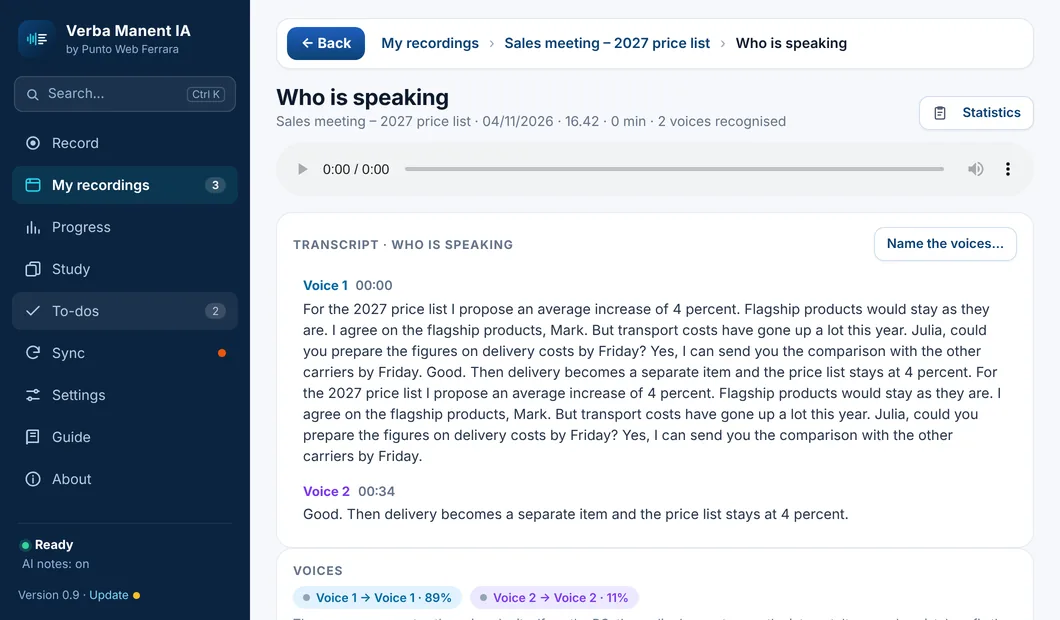
- Lecturer and students already separated
- The transcript is yours right after class
- Plus notes, flashcards and exam questions
For the options available, from online services to programs that work on your own PC, there’s a comparison in the guide on how to transcribe audio to text.
Sharing transcripts as a group
When a class splits up the transcribing, a few rules prevent chaos.
| What to agree on | Example |
|---|---|
| Rota | A shared calendar: who transcribes which lecture |
| One template | The same format for everyone: title, date, lecturer, topics |
| Deadline | Every transcript ready within 48 hours of the lecture |
| Review | A second classmate rereads it before it’s shared |
| Shared folder | One folder only, with files named by date |
A tip: whoever transcribes a lecture learns it best, because they have to listen to it again carefully. When it’s your turn, make the most of it.
From transcript to notes
A transcript is very handy for catching up on a missed lecture or checking a passage. But studying only from transcripts has a limit: two hours of lecture become dozens of pages, and rereading them is slow and not very effective.
The best approach is to use them to build your own notes: key ideas, questions, summary. The method is in the guide on how to take notes in college, and for review flashcards work brilliantly.
Can you record a lecture? What the rules say
Two things to know before recording and transcribing.
- Permission. Many universities regulate the recording of lectures in their policies, and many lecturers ask to be told. The right thing is always to ask.
- The lecturer’s rights. Lecturers and universities usually hold the copyright in lectures, slides and handouts, and many university policies forbid sharing recordings. Recording and transcribing for your own study is one thing; selling transcripts or posting them online without the lecturer’s consent is another, and may infringe their rights.
Sources
- GOV.UK, How copyright protects your work. gov.uk
- U.S. Copyright Office, What is Copyright? copyright.gov
Verba Manent transcribes the lecture for you
Transcription happens on your computer: the audio never goes online.
Tells the lecturer apart from students' questions.
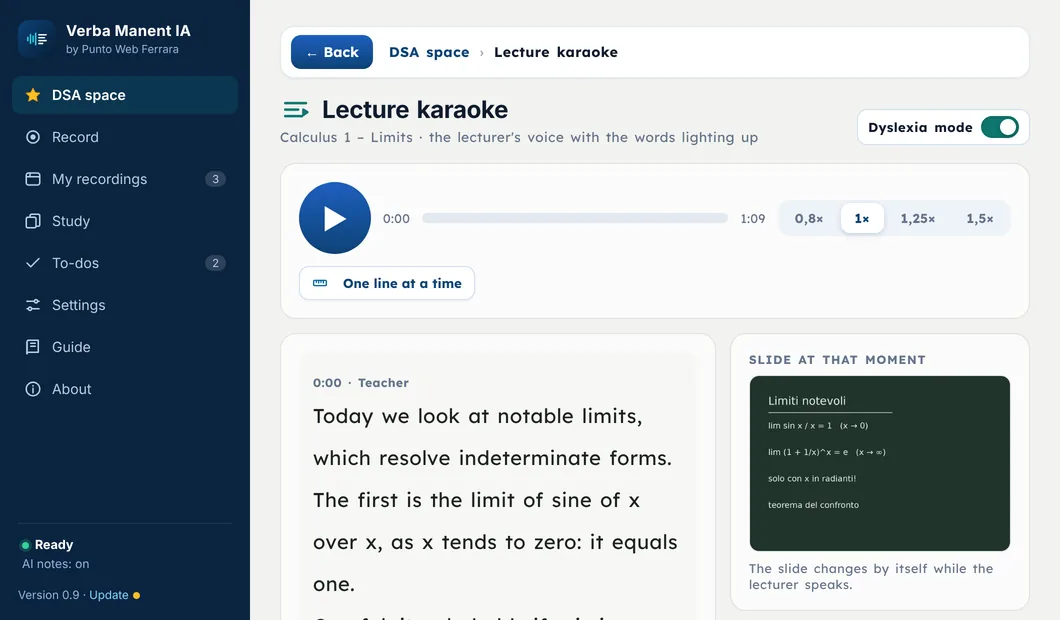
Turns the transcript into Cornell and exam-ready notes.
Records from the laptop and cleans up the audio before transcribing.