How to transcribe audio to text: voice notes, lectures and meetings
Transcribing audio to text no longer means hours of pressing pause and typing. AI does it in minutes, often for free. But not every tool suits every job: a thirty-second voice note, a two-hour lecture and a work meeting are three different problems.
Here are all the ways to transcribe audio, when to use each one and what to watch out for.
In short: which tool for which audio
| What you need to transcribe | Best tool | Cost |
|---|---|---|
| A WhatsApp voice message | WhatsApp’s built-in transcription | Free |
| A short audio file (interview, voice memo) | Word for the web, or an online service | Free or paid |
| A university lecture | A program that records and transcribes on your PC | Free or paid |
| A work meeting | A program that records, transcribes and writes the minutes | Paid |
| Something you dictate as you speak | Voice typing in Google Docs or dictation in Word | Free |
Transcribing WhatsApp voice messages
This is the most common request, and also the easiest: WhatsApp has transcription built in. You switch it on once in Settings, under Chats, with the Voice message transcripts option. From then on, long-pressing a voice message gives you the option to read it instead of listening.
According to WhatsApp, transcription happens on your phone, so the message isn’t sent to anyone else. Several languages are available, and you need to pick the right one.
Transcribing an audio file
If you have a file (a phone recording, an interview, a podcast), there are three routes.
1. Word for the web
With a Microsoft 365 subscription, the browser version of Word has a Transcribe feature in the Dictate menu: you upload the audio file and get the text, with the different speakers separated. It’s handy if you already use Word, but it has monthly minute limits, and the file is processed on Microsoft’s servers.
2. Online services
There are many sites where you upload a file and download the text. They’re fast and often have a free trial with limited minutes; beyond that you pay a subscription.
Two things to check before using them:
- where the file ends up: it’s uploaded to their servers. Read the privacy policy to find out how long they keep it and whether they use it to train their models;
- whose voice it is: if the audio contains other people’s voices, you’re sending a company personal data that isn’t only yours.
3. Programs that transcribe on your computer
Since 2022 there have been very accurate speech recognition models that work without internet, right on your computer. The best known is Whisper, released by OpenAI as open-source software: it recognises English and dozens of other languages.
The advantage is privacy: the audio never leaves your computer. The drawback is that you need a reasonably powerful computer, and transcribing an hour can take several minutes.
Transcribing lectures and meetings: why it’s different
A lecture or a meeting isn’t just a file to transcribe. It brings three extra problems:
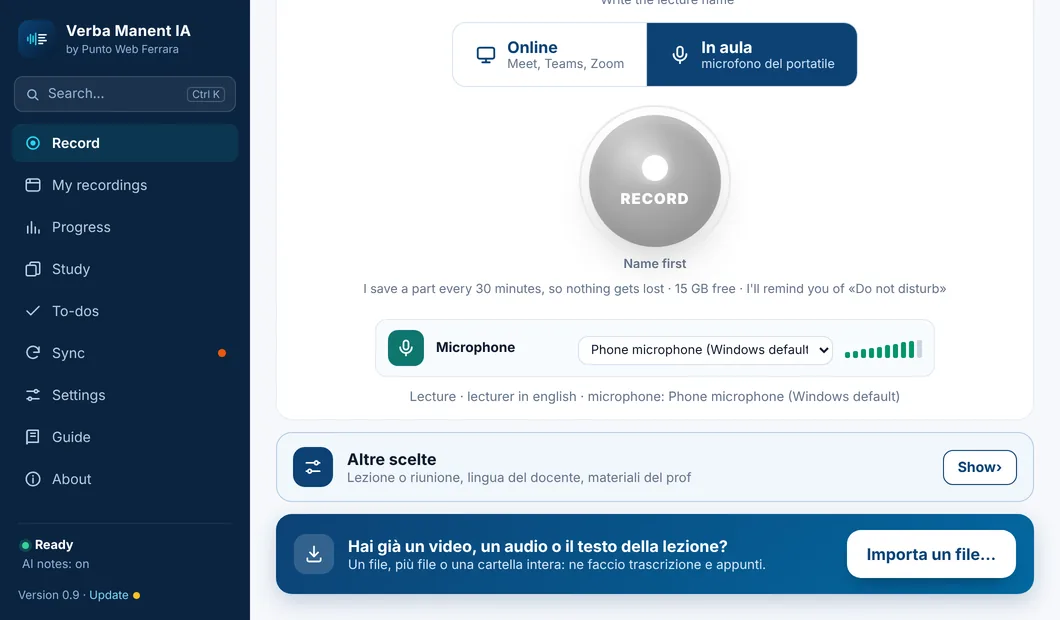
- it has to be recorded well: on Meet, Teams or Zoom you need to capture both the computer’s audio and your own voice, and in a classroom the microphone has to hear the lecturer;
- it’s long: two hours of speech means dozens of pages of text nobody wants to reread;
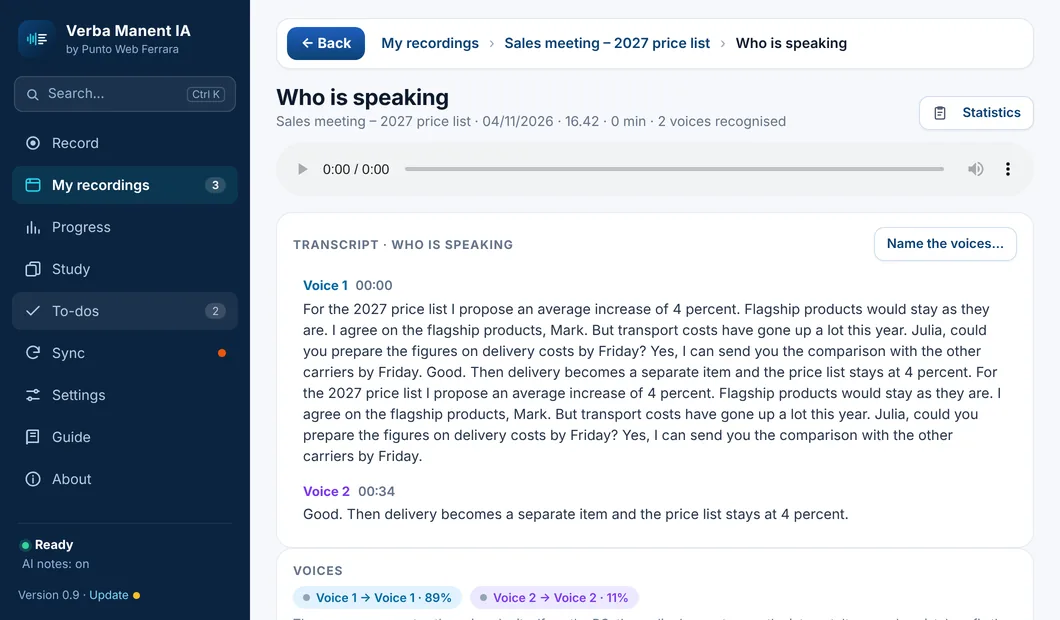
- several people speak: you need to know who said what.
That’s why, for lectures and meetings, transcription alone isn’t enough: you need something that turns the text into notes, a summary or meeting minutes.
- Files uploaded to someone else's servers
- Just text: you have to reread it all
- Minute limits and time-based subscriptions
- Transcription on your own computer
- From the text, notes or minutes ready to use
- Your recordings stay yours
How to get an accurate transcript
Transcript quality depends mostly on audio quality. A few precautions make a huge difference.
| Problem | What to do |
|---|---|
| Distant or quiet voice | Bring the microphone closer to the speaker. In a classroom, sit near the front |
| Background noise | Avoid fans, open windows and keyboards near the microphone |
| Wrong language | Set the speaker’s language instead of automatic detection |
| Technical terms and proper names | Reread these: they’re what AI gets wrong most often |
| Several people talking at once | No tool works miracles: those parts will be uncertain |
And one rule that always applies: reread the important parts. Even the best automatic transcript gets a few words wrong, and sometimes it’s the one that changes the meaning.
Mind the permission to record
Before recording and transcribing a conversation with other people, ask yourself whether you’re allowed to. For lectures, many universities have specific rules and the lecturer has rights over the lecture. For meetings it’s good manners, and fairer, to tell participants at the start.
If you’re interested in studying, carry on with the guides on how to take notes in college and how to study with flashcards.
Sources
- WhatsApp Blog. Introducing Voice Message Transcripts
- Radford, A., Kim, J. W., Xu, T., Brockman, G., McLeavey, C., Sutskever, I. (2022). Robust Speech Recognition via Large-Scale Weak Supervision. arXiv:2212.04356
Verba Manent transcribes lectures and meetings on your PC
Audio is transcribed on your computer, not on someone else's servers.
Import a recording and get text and notes.
Voices kept apart, with the names you choose.
Study notes or meeting minutes with action items.